
Head-up Displays
A head-up display (HUD) places selected driving information near the driver’s forward view, reducing the need to look down at the instrument panel. Its value depends less on the amount of content than on optical quality, correct alignment, and disciplined information selection.
How a head-up display works
A conventional automotive HUD uses a display source, mirrors or lenses, and either the windscreen or a separate transparent combiner. The optics create a virtual image that appears farther ahead than the physical dashboard, allowing the driver to refocus less than when looking down at a nearby display.
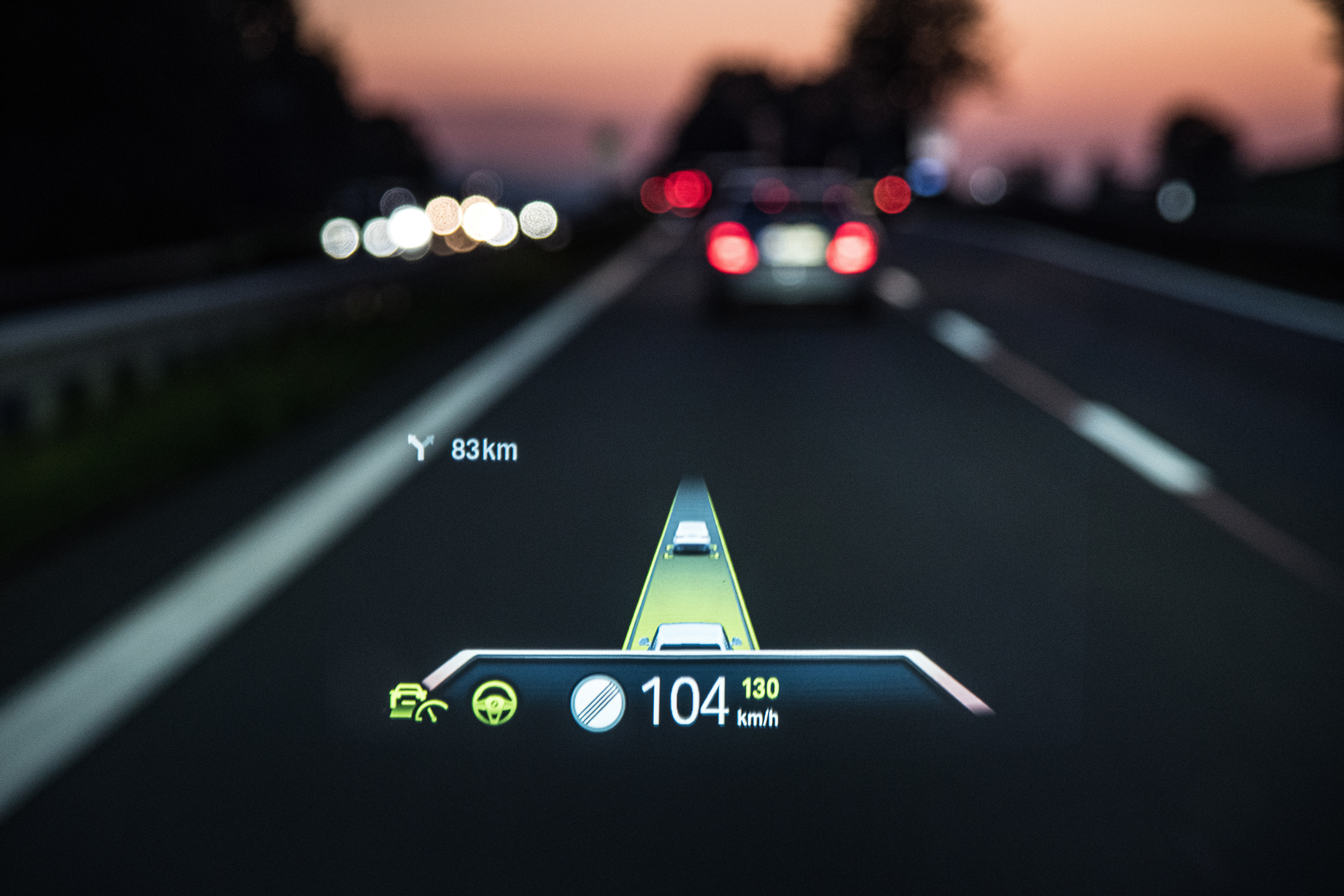
The usable viewing region is called the eye box. If the driver’s eyes move outside it, part of the image can disappear. Seat height, steering-wheel position, driver stature, and HUD height adjustment therefore affect whether the full image is visible.
Windscreen HUDs need optics and glazing designed to control distortion and double images. Combiner HUDs project onto a small transparent panel above the dashboard, which can simplify the optical path but creates a visible piece of hardware in the forward view.
Conventional and augmented-reality HUDs
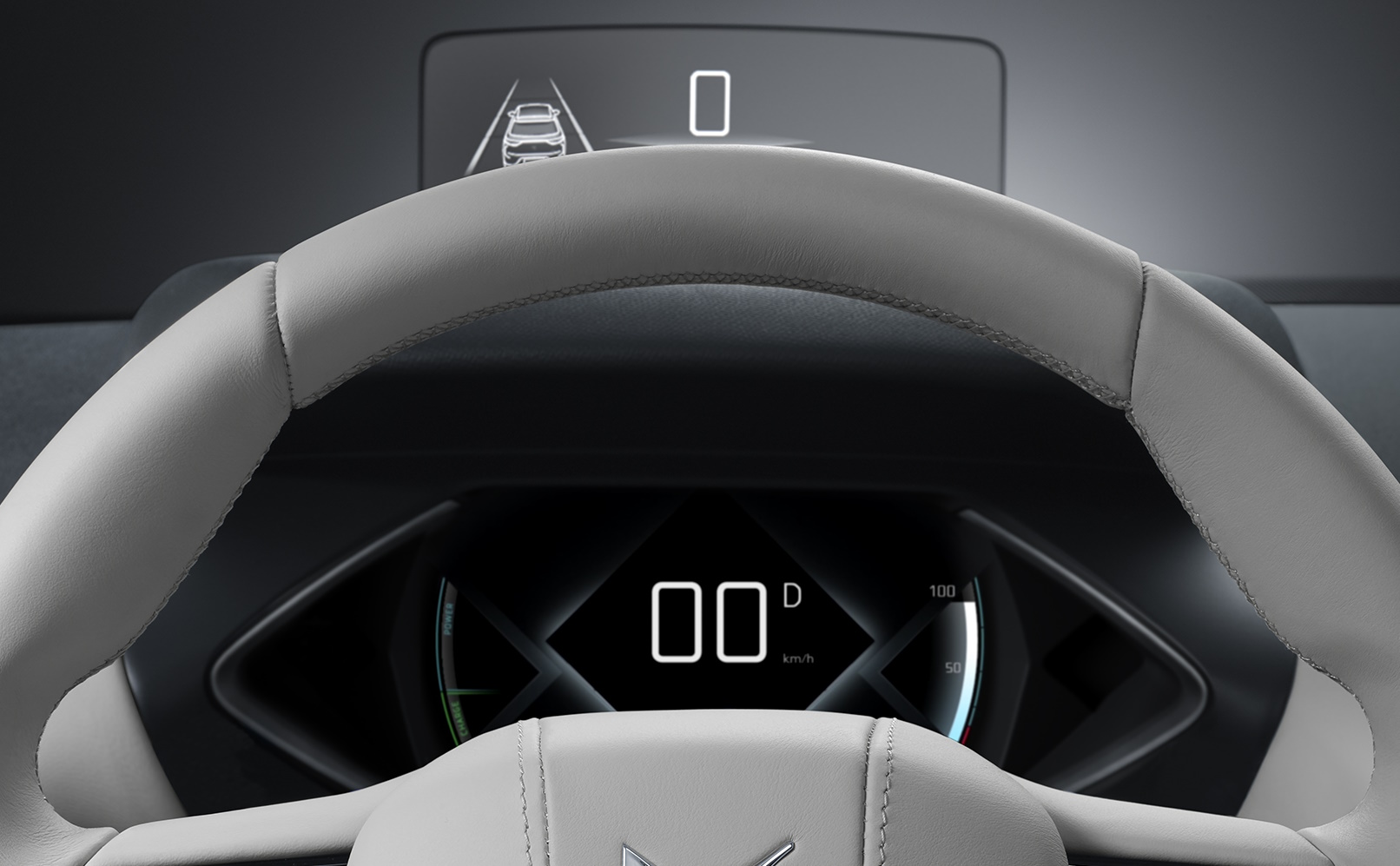
A conventional HUD keeps symbols in a stable display area. Common content includes speed, speed limit, turn instructions, assistance status, and high-priority warnings.
An augmented-reality HUD aligns selected graphics with features in the outside scene. A navigation cue may appear to mark a turn, or an assistance graphic may identify a lane or detected hazard. This requires the vehicle to combine positioning, map, camera, and sensor data with a calibrated projection model.
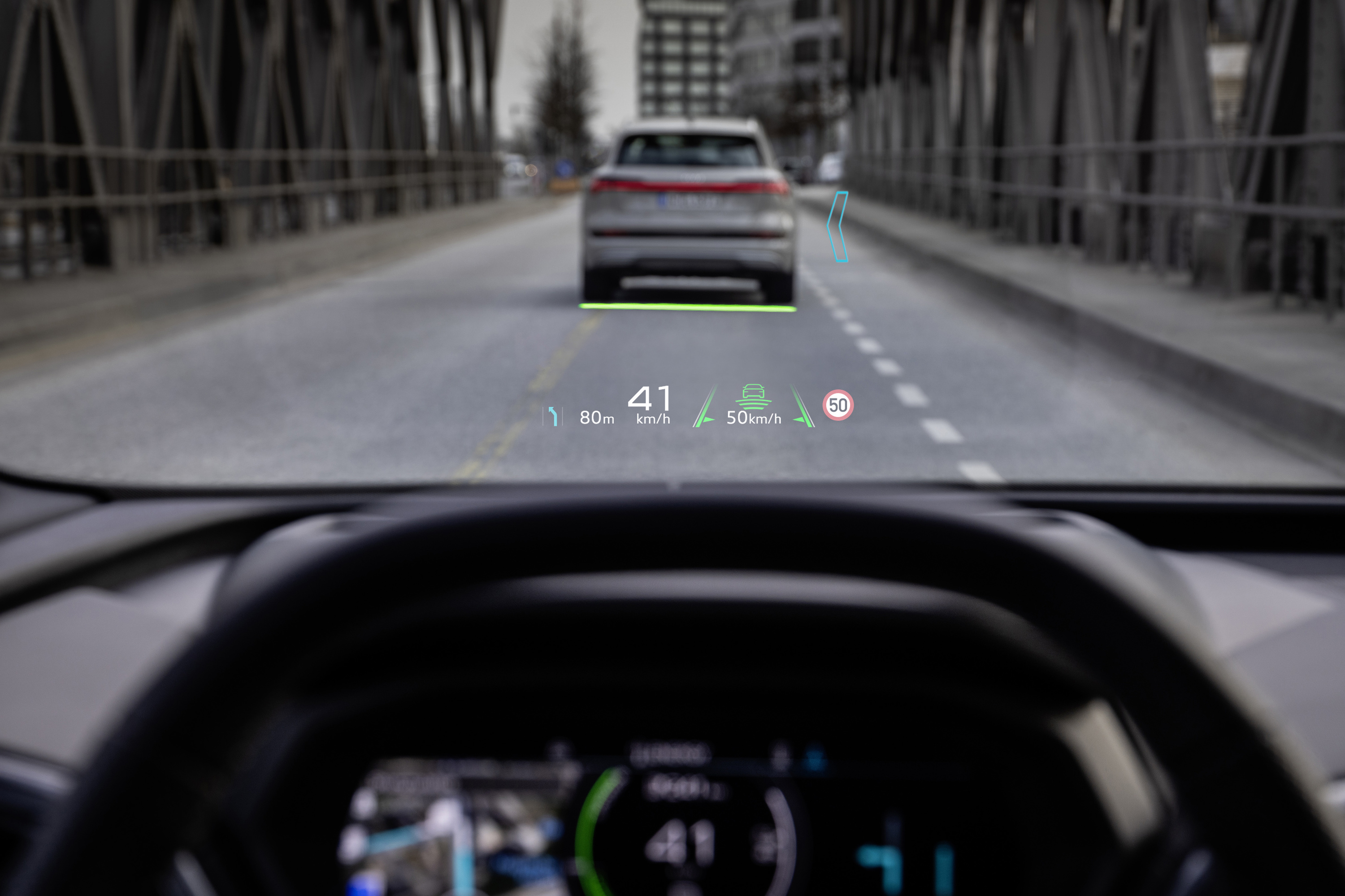
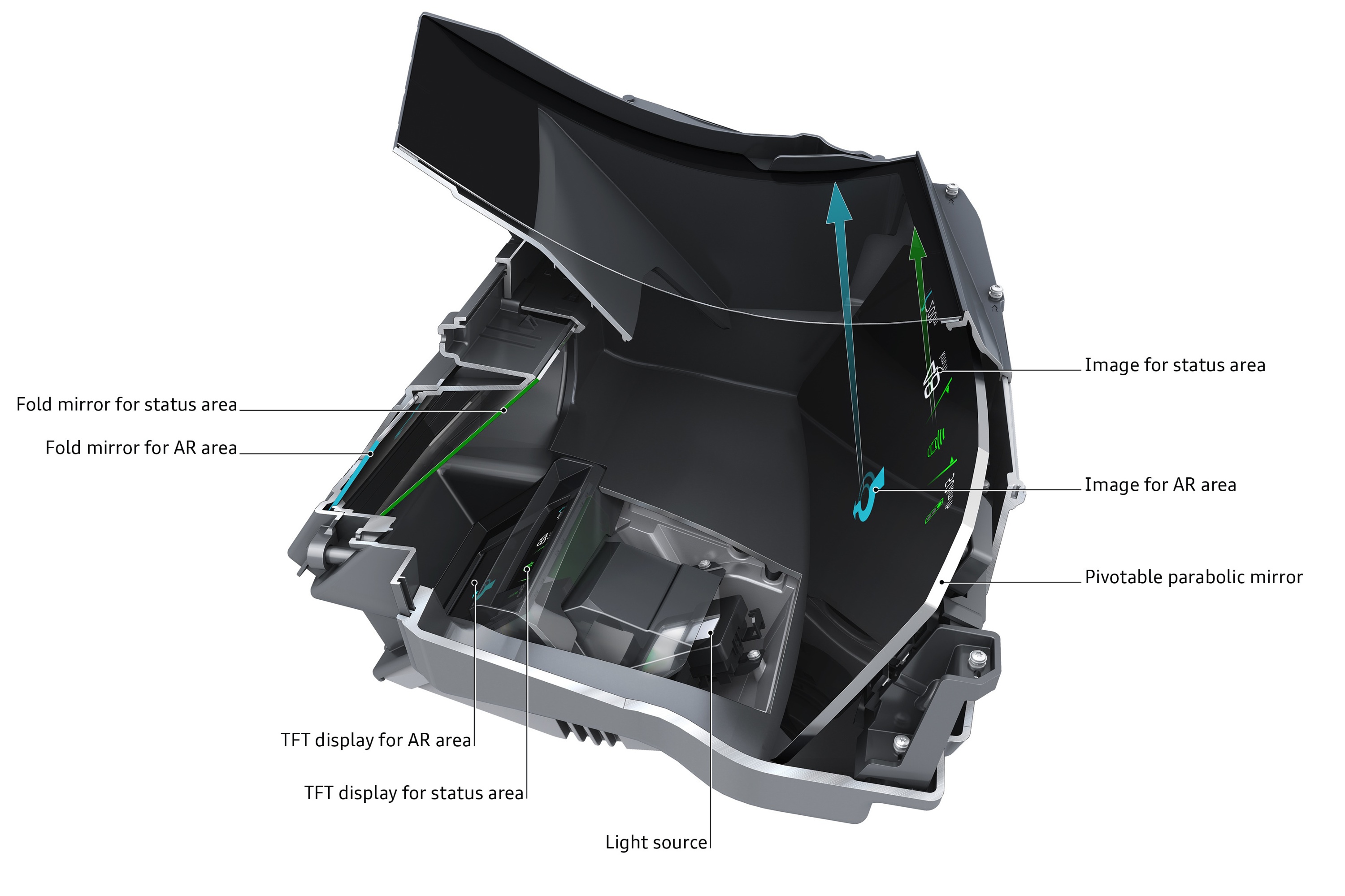
AR alignment is only useful when it is accurate and timely. A late or misplaced graphic can create ambiguity about which lane, turn, or object it refers to. The system should degrade cleanly when its position or perception confidence is insufficient rather than presenting uncertain placement as fact.
What belongs in the forward view
HUD space is scarce. It is best reserved for information that helps with the current driving task:
- vehicle speed and a clearly distinguished speed limit;
- concise navigation guidance near a decision point;
- active cruise or steering-assistance status;
- an immediate warning with an unambiguous required action;
- a temporary EV status that changes driving response, such as limited propulsion or regeneration.
Media lists, detailed energy graphs, long messages, and persistent decorative animation compete with the road scene. The HUD should not become another infotainment screen.
NHTSA’s human-factors guidance treats HUDs as part of the complete driver-vehicle interface and discusses the need to manage information location, priority, clutter, and visual warnings. An older NHTSA interpretation also notes the importance of driver control over HUD brightness because the image appears in the forward view. NHTSA — Human Factors Design Guidance for Driver-Vehicle Interfaces NHTSA — Interpretation concerning head-up displays and brightness
Benefits and limitations
A HUD can shorten the visual movement between road and information, but it does not guarantee that the driver’s attention remains on the road. Reading, interpreting, and responding still consume attention. Poor contrast, clutter, excessive animation, or an image that masks a real object can reduce the benefit.
Practical limitations include:
- image clipping when the eye position falls outside the eye box;
- washout in bright conditions or distracting brightness at night;
- reflections, ghosting, distortion, or a visible windscreen wedge;
- partial visibility through some polarized sunglasses;
- focus or double-vision difficulties for some users;
- incorrect AR registration after calibration, windscreen, or sensor issues.
ISO’s current work on HUD specifications and test procedures covers image geometry, optical properties, virtual-image measurements, viewing conditions, and dynamic assessment. The project is under development, so it should not be read as a completed universal requirement. ISO/AWI 21957 — Head-up display specifications and test procedures
What buyers should check
- Is the complete image visible after adjusting the seat and steering wheel?
- Can the image height and brightness be changed far enough for day and night use?
- Does it remain readable through the sunglasses normally used for driving?
- Is the content calm, or does animation compete with the road?
- Are speed-limit information and driver-assistance status clearly distinguished from vehicle speed and commands?
- Do AR navigation cues remain accurately aligned through bends and junctions?
- Can individual content categories be disabled?
- Does critical information remain available on the driver display if the HUD is off?
A good HUD reduces head-down glances while remaining visually quiet. It presents a small amount of trustworthy information at the moment it can help.